Create Rich and Professional-Looking Slideshows Within Minutes

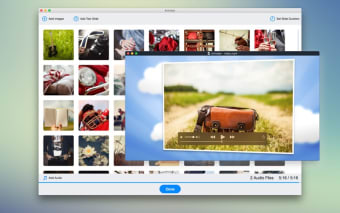
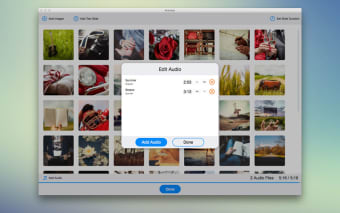
Photo to Video is a tool that lets you make a video slideshow with its rich collection of animations and backgrounds. To create the slideshow, you just have to add the audio tracks and slides you like, and the rest would be taken care of by the software.

Purpose and Features

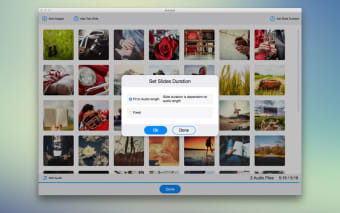
Photo to Video can be used to make slideshows for special events, family moments, and even business. Make great slideshows of your birthday, wedding, anniversaries and summer holidays. Within a business setup, the tool would help present service product, company, or event updates visually.The interface is intuitive and easy to use. The ‘auto duration’ feature lets you create slides that match the music’s length. The animations are smooth and rendered in Full HD resolution. There are different animation choices, including smooth, carousel, flying, flow, roller, and parallax.

Backgrounds Library

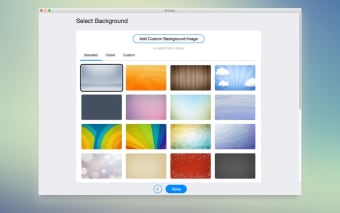
The backgrounds library is replete with high-quality images. These are designed by professional designers, and you can choose from a large collection of dynamic and static backgrounds. The slides are extremely easy to make. Even if you have not used a computer before, you would be able to make a slideshow with Photo to Video within 30 minutes. And if you are good with computer and software, the slideshows would come out much quicker.
  • Pros

    • Easy to use
    • Intuitive interface
    • Color variety in slides
    • Available for both Windows and Mac
  • Cons

    • Not a lot of editing options
    • Rendering can take some time
    • Doesn’t work with 32-bit processor computers
    • Not completely free
 0/4

App specs

  • License

    Free

  • Version

    2.2.11

  • Latest update

  • Platform

    Mac

  • Language

    English

    Available languages

    • German
    • English
    • Spanish
    • French
    • Italian
    • Japanese
    • Korean
    • Portuguese
    • Chinese
  • Downloads

    33

  • Developer

Program available in other languages


User reviews about Photo to Video - Aniroket - WM

Have you tried Photo to Video - Aniroket - WM? Be the first to leave your opinion!

Add review

You may also like

Explore Apps

Latest articles

Laws concerning the use of this software vary from country to country. We do not encourage or condone the use of this program if it is in violation of these laws.
Softonic

Is Photo to Video - Aniroket - WM safe?

Score result: Clean

This app is available directly from the official App Store. Since the official app stores maintain their own rigorous security standards and review processes, we rely on their trusted distribution platform rather than performing additiona scans. You can download with confidence knowing this comes straight from the verified source.

  • Virus free
  • Spyware free
  • Malware free